Prerequisites
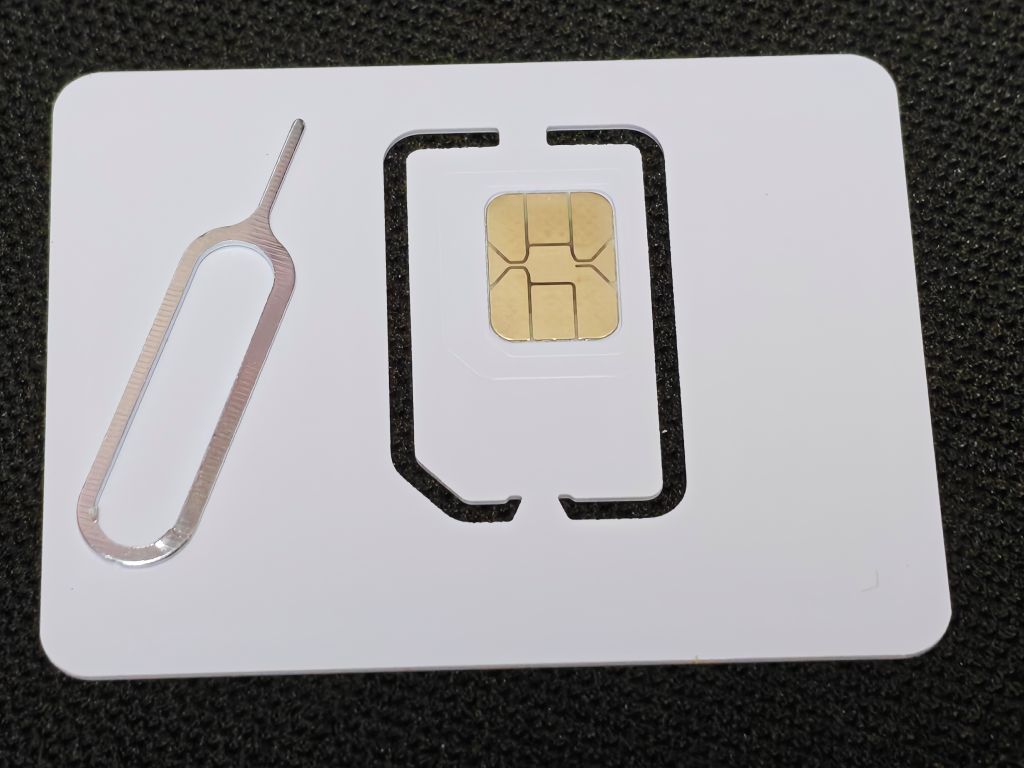
- A programmable eSIM card purchased from Pinduoduo (around 20 RMB), which you can insert directly into your phone’s SIM card slot.
- An Android phone, rooted and with
LSPosedinstalled (non-root methods are also available; you can search for other tutorials). - The official
giffgaffapp. I am currently using version20.16.0. HookEuicc, an app used to make the giffgaff app enter the eSIM installation flow and copy the eSIM activation string.EasyEUICC, an app used to write the eSIM profile to the programmable eSIM card.- A bank card capable of making payments in British Pounds (GBP). I used a Visa card.
Configuring HookEuicc
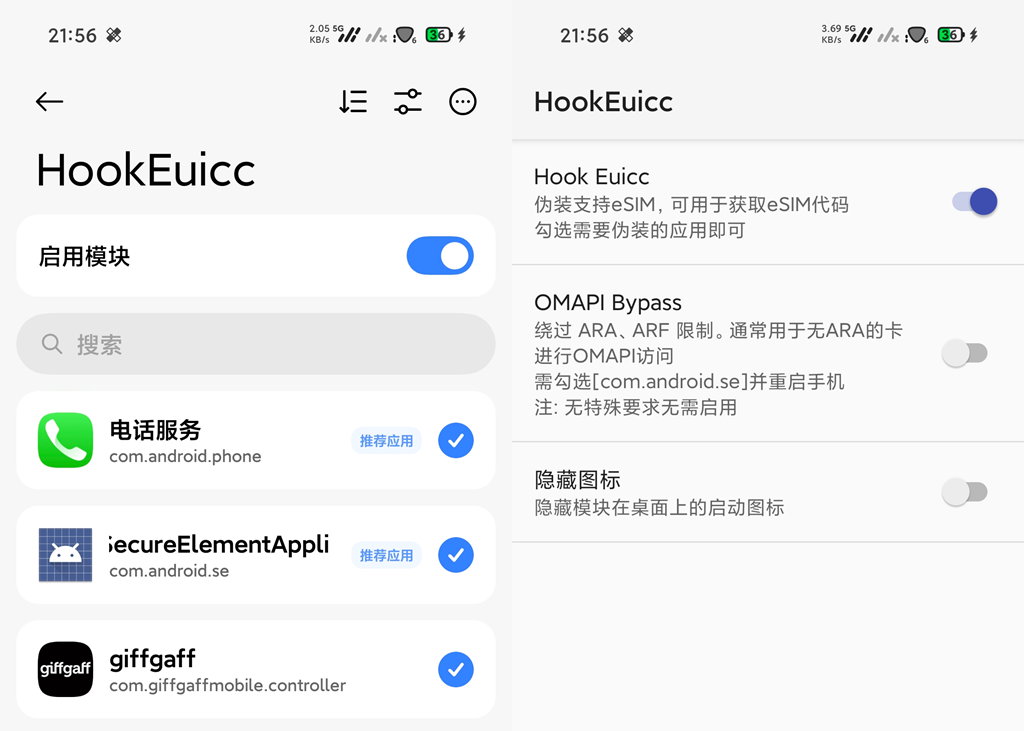
Open LSPosed and enable the HookEuicc module. Under the module’s scope, check giffgaff. I also checked phone and se, though I’m not certain if they are strictly required.
Open the HookEuicc module settings, check the first option, and then restart your phone.
Getting a giffgaff Number
Open the giffgaff app, create an account, and log in.
- Select
eSIMand tapChoose your plan. - Scroll to the very bottom and select
I don't want a plan. - Choose the minimum top-up amount of £10.
- Tap
Add a payment methodand add your bank card (I used a Visa card). - Fill in the name and billing address associated with your payment card.
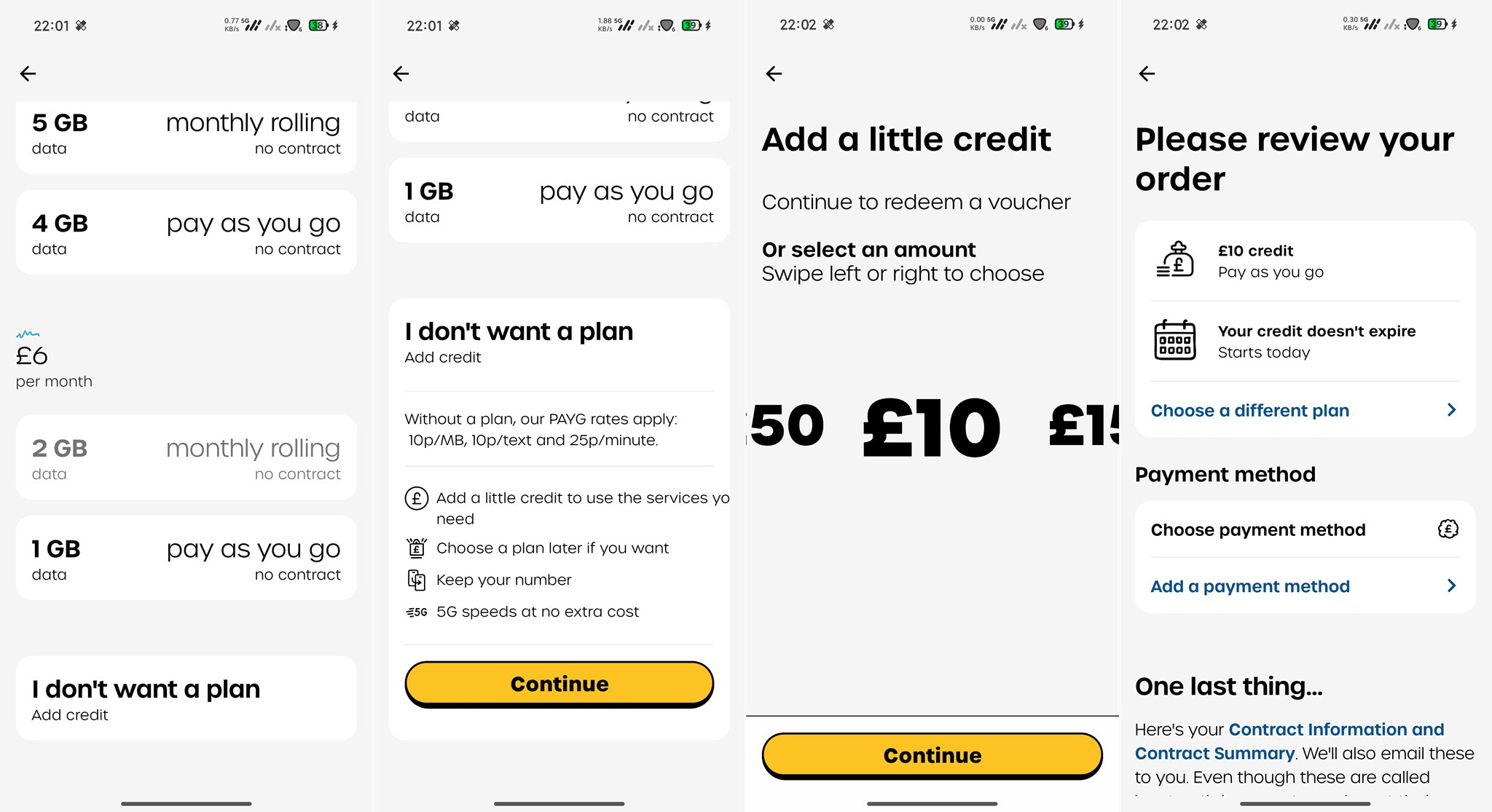
Once the payment is successful, select Install eSIM. After a short wait, you will receive a notification that the activation code has been copied.
Check your clipboard. If you see a string that looks like this, you have successfully obtained the eSIM activation string: 1$cel.prod.ondemandconnectivity.com$2A3B4C5D6E7F8G9H
Add LPA: to the beginning of the string and copy the entire new string:
LPA:1$cel.prod.ondemandconnectivity.com$2A3B4C5D6E7F8G9H
Writing to the Programmable eSIM Card
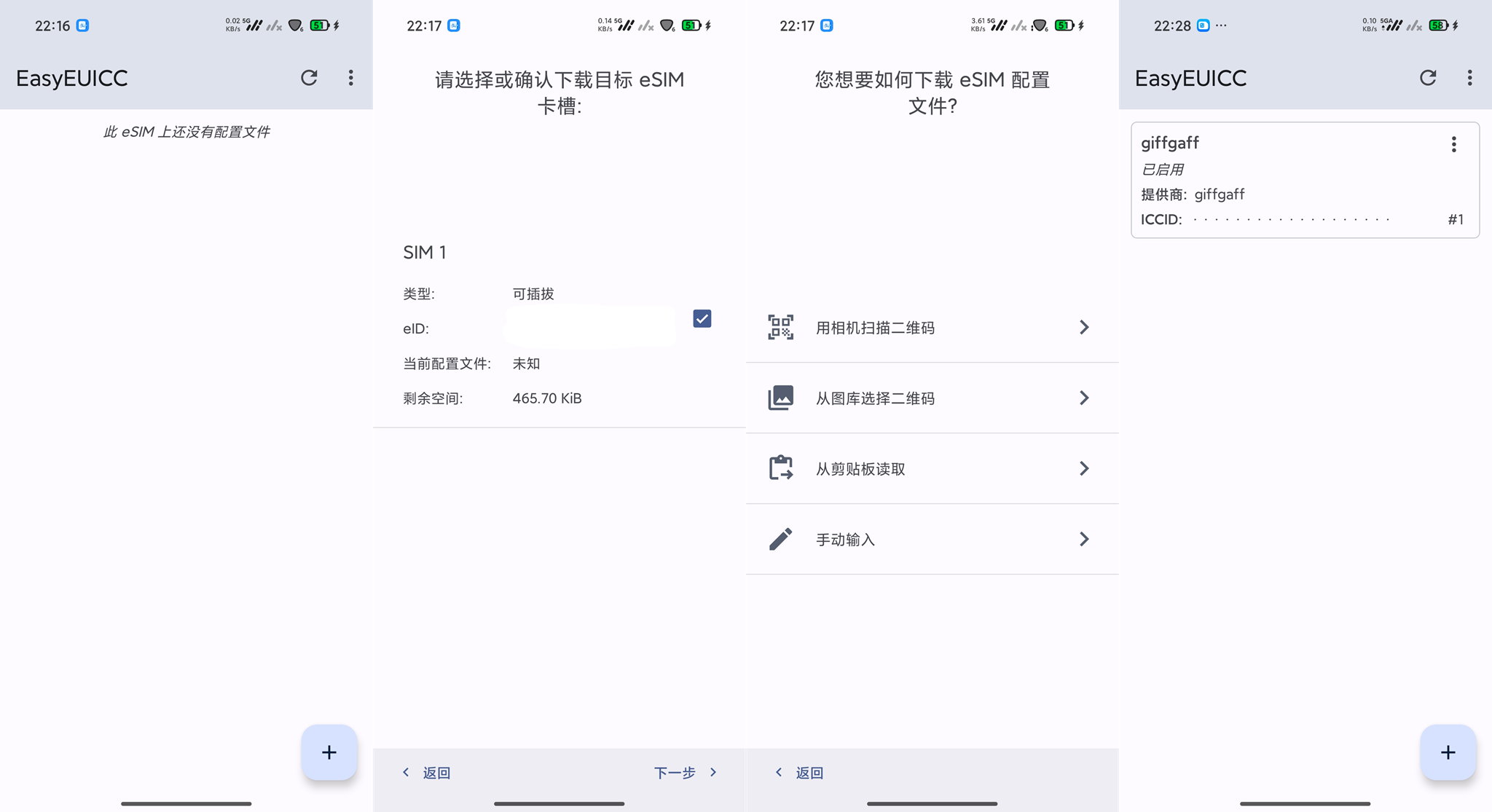
- Open
EasyEUICCand grant it the required permissions. - Tap the
+icon in the bottom right corner. - Tap Next.
- Select the option to read from the clipboard.
- After a brief moment, you will see a success message indicating the profile has been written. Before proceeding to step 6, please note: Xiaomi phones may automatically send a location-related SMS after a SIM card is enabled, which will incur a £0.30 fee from your balance. If this is a concern, please search for a workaround before continuing.
- Tap the three dots on the right side of the giffgaff card and select Enable.
- Wait for the network registration to finish. Once successful, you will receive a welcome SMS containing your new UK phone number.
Important Notes
- Data roaming charges are extremely expensive. Please make sure cellular data is turned off for this SIM.
- To keep your number active, you must make at least one chargeable use of the SIM every 6 months; otherwise, the phone number will be deactivated and recycled.