0. Basic Concepts
| Concept | Explanation |
|---|---|
| Repository | A place where Docker images are stored. |
| Image | You can think of it as an installable package that is used to create containers. One image can be used to create multiple container instances that run independently. |
| Container | A runnable instance created from an image. |
1. Images
1. Download
|
|
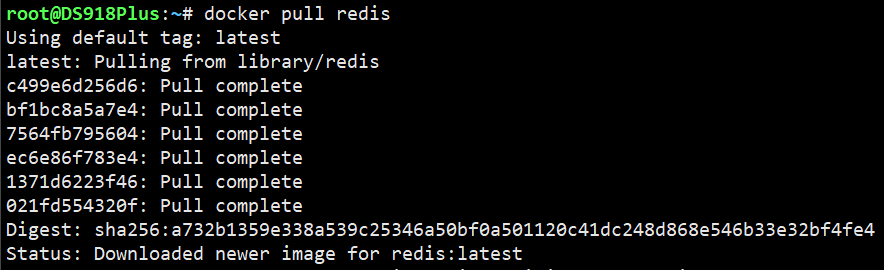
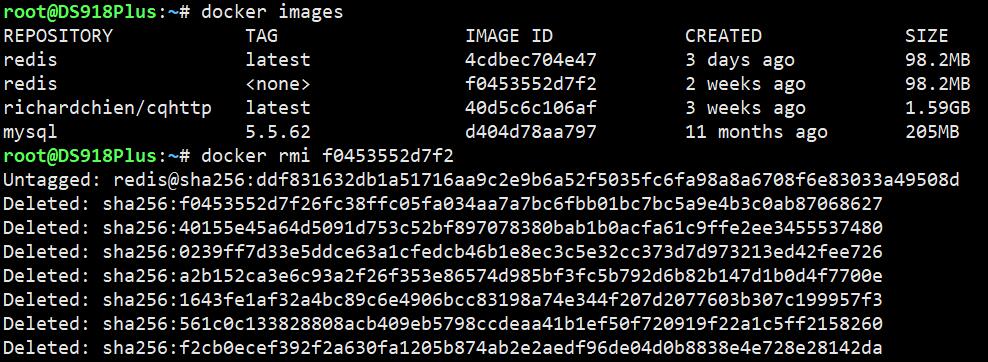
2. View and Delete
|
|
2. Containers
1. Create and Run a Container
After the image is downloaded, use it to create a container:
|
|

At this point Redis is installed successfully. Now let’s briefly break down the container creation command.
First, -itd, based on my own understanding:
ienables input, so you can interact with the container after it starts.tattaches a terminal inside the container.
These two flags are commonly used together. If you want to understand the difference clearly, try creating three CentOS containers separately with -i, -t, and -it.
druns the container in the background after it is created.
--name my_redis gives the container a name.
-p 6480:6379 maps port 6379 inside the container, which is Redis’s default port, to port 6480 on the host. That means you can connect to Redis through 127.0.0.1:6480.
--requirepass "password" sets a password for Redis. If you only use Redis locally, you can choose not to set one.
2. Restart and Stop a Container
|
|
3. Delete a Container
|
|