1. When Should You Use a Builder?
In most cases, we can create an object with something as simple as new User(), so why would we need a builder at all?
Suppose we have a class like this:
1
2
3
4
5
6
7
|
public class User {
    private int id;
    private String name;
    private String phone;
    private String sex;
    private String IDCard;
}
|
If only id and name are required when creating a User, and the rest are optional, then there are usually two straightforward ways to build the object.
1. Constructors
 1
 2
 3
 4
 5
 6
 7
 8
 9
10
11
12
|
public class User {
    private int id;
    private String name;
    private String phone;
    private String sex;
    private String IDCard;

    public User(int id, String name) {
        this.id = id;
        this.name = name;
    }
}
|
Now User user = new User(1, "izumi"); is enough to create an object. But if you later want to support three parameters, or five parameters, you end up adding more and more overloaded constructors:
 1
 2
 3
 4
 5
 6
 7
 8
 9
10
11
12
13
14
15
16
17
18
|
    public User(int id, String name) {
        this.id = id;
        this.name = name;
    }

    public User(int id, String name, String phone) {
        this.id = id;
        this.name = name;
        this.phone = phone;
    }

    public User(int id, String name, String phone, String sex, String IDCard) {
        this.id = id;
        this.name = name;
        this.phone = phone;
        this.sex = sex;
        this.IDCard = IDCard;
    }
|
That is clearly not very elegant.
2. Setter Methods
We can also use JavaBeans-style setters to assign multiple optional values. For convenience, the example below uses Lombok:
 1
 2
 3
 4
 5
 6
 7
 8
 9
10
11
12
13
14
15
|
import lombok.Data;

@Data
public class User {
    private int id;
    private String name;
    private String phone;
    private String sex;
    private String IDCard;

    public User(int id, String name) {
        this.id = id;
        this.name = name;
    }
}
|
1
2
3
|
User user = new User(1, "izumi");
user.setSex("Male");
user.setPhone("xxxxx");
|
This approach is simple and easy to understand, but it has a drawback: because construction is split across several calls, the object can temporarily be left in an inconsistent state.
This is where the Builder pattern becomes useful.
2. How to Use a Builder
Let’s go straight to an example:
 1
 2
 3
 4
 5
 6
 7
 8
 9
10
11
12
13
14
15
16
17
18
19
20
21
22
23
24
25
26
27
28
29
30
31
32
33
34
35
36
37
38
39
40
41
42
43
44
45
|
package pub.izumi.coolqs;

public class User {
    private int id;
    private String name;
    private String phone;
    private String sex;
    private String IDCard;

    public static class Builder {
        private int id;
        private String name;
        private String phone;
        private String sex;
        private String IDCard;

        public Builder(int id, String name) {
            this.id = id;
            this.name = name;
        }
        public Builder phone(String val) {
            this.phone = val;
            return this;
        }
        public Builder sex(String val) {
            this.sex = val;
            return this;
        }
        public Builder IDCard(String val) {
            this.IDCard = val;
            return this;
        }
        public User build() {
            return new User(this);
        }
    }

    private User(Builder builder) {
        id = builder.id;
        name = builder.name;
        phone = builder.phone;
        sex = builder.sex;
        IDCard = builder.IDCard;
    }
}
|
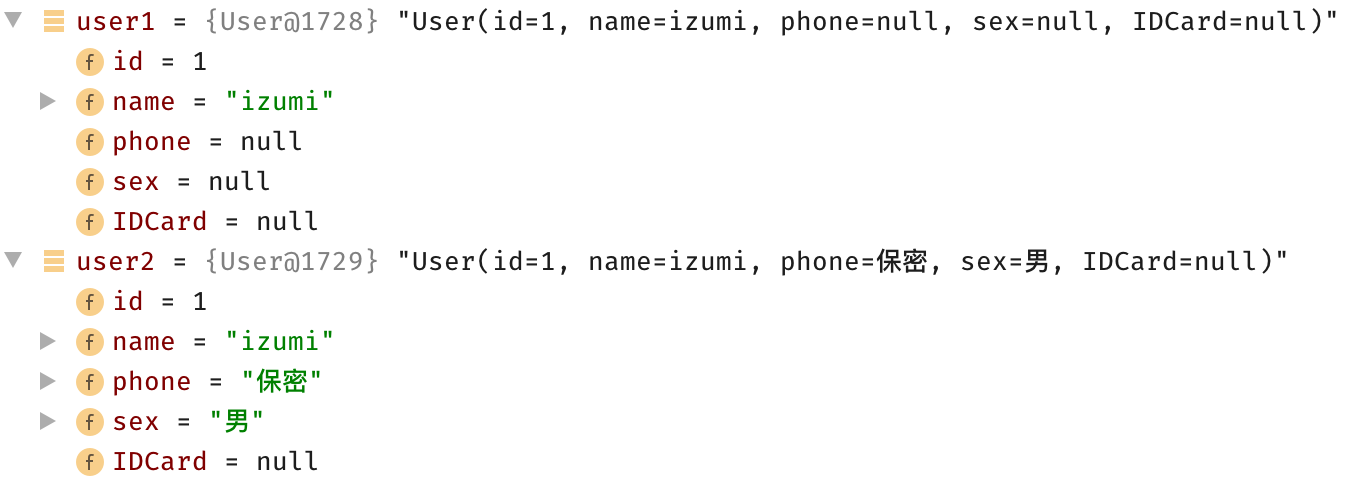
Each builder method returns the builder itself after setting a field, so the calls can be chained together. Here is how object creation looks:
1
2
|
User user1 = new User.Builder(1, "izumi").build();
User user2 = new User.Builder(1, "izumi").sex("Male").phone("**").build();
|